Webflow API pagination in Make.com
When I built a MAKE scenario to process Webflow CMS items, I ran into something that I thought, “This must have been explained a thousand times, right?” Spoiler: that wasn't the case.

.avif)
When you work with the Webflow API in Make.com, you quickly run into a limitation: a Webflow CMS API request returns a maximum of 100 items per request.
If you have a larger collection, you should use Webflow API pagination. Many tutorials make this unnecessarily complex, while pagination in Make.com really means repeating your existing flow.
In this guide, I'll show you how to implement Webflow pagination in Make.com without rebuilding your scenario.
Webflow API pagination in Make.com explained
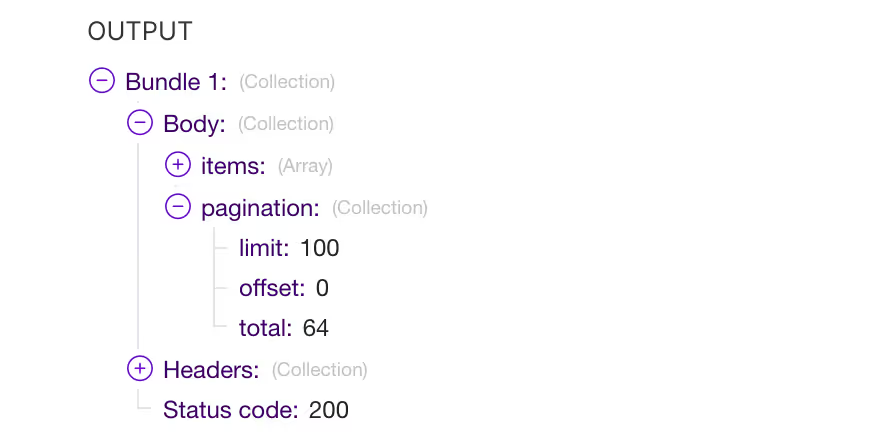
The Webflow CMS API uses pagination to distribute large amounts of data across multiple requests. Three values are important here:
- limit — the maximum number of items per API request (100)
- offset — from which item the API fetches data
- total — the total number of items in the collection
Make.com does not handle this pagination automatically. This means that you have to perform multiple Webflow API requests yourself with a dynamic offset.
Important mindset when pagination in Make.com
The biggest mistake people make when it comes to Webflow API pagination in Make.com is thinking they need to build a new flow.
That is not necessary.
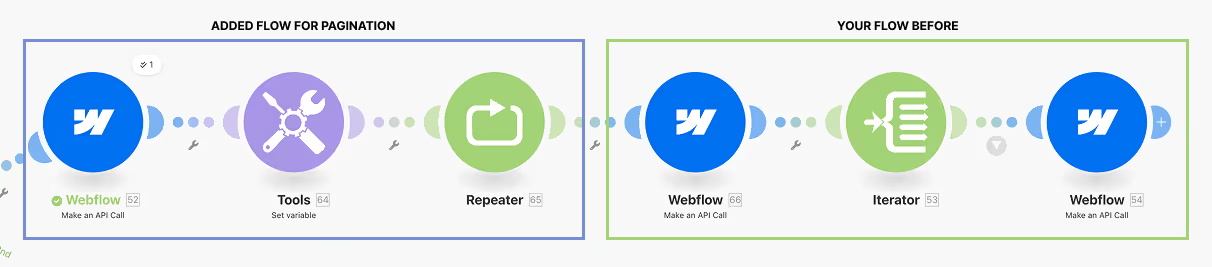
If you already have a working Make.com flow, that flow remains exactly the same. You only repeat it with different offsets.
Pagination is therefore not a new logic, but a loop around your existing scenario.
Step 1. Retrieve pagination data with a Webflow GET request
First, add an extra one Webflow GET request before your existing Make.com flow.
You only use this request to retrieve pagination data:
totallimit
You are not processing any CMS items here yet. This request only determines how often your flow must be repeated.
Step 2. Calculate the number of pages in Make.com
With the pagination data, you can calculate the number of pages:
{{ceil([pagination.total] / [pagination.limit])}}
Store this value in a variable, for example TotalPages.
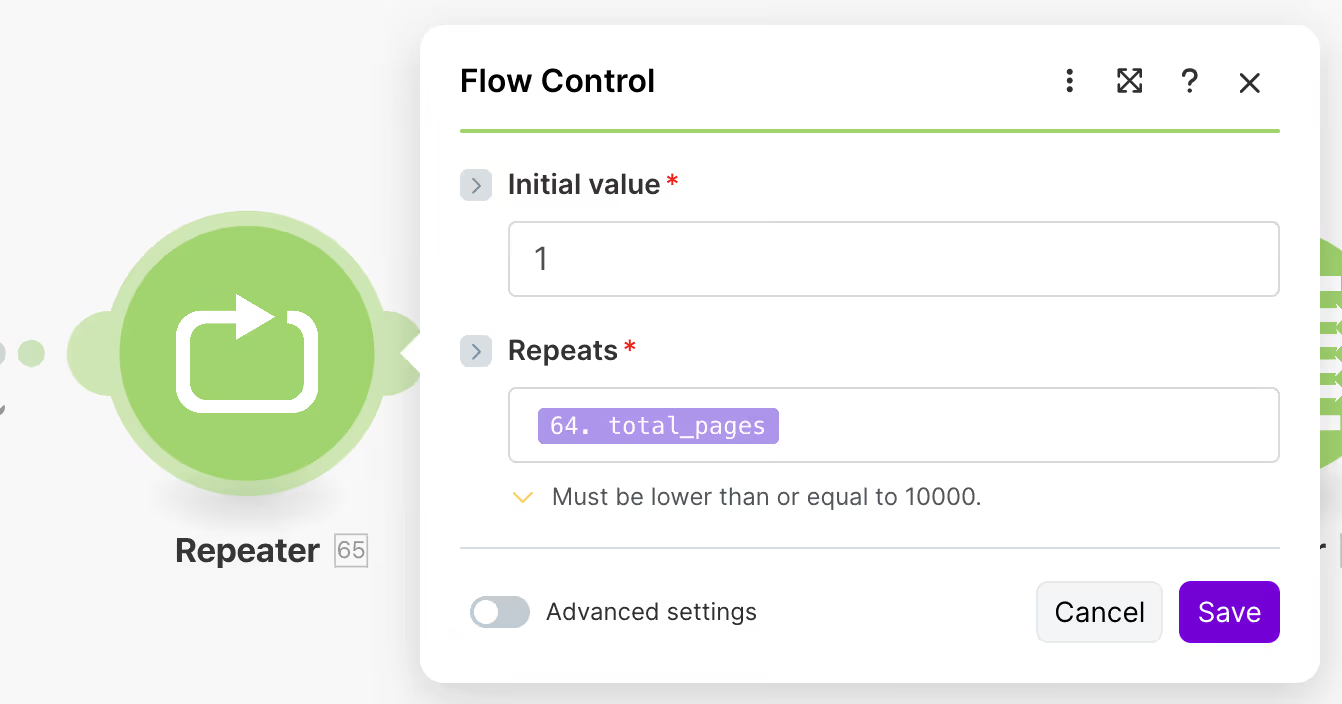
Then you use a Repeater module in Make.com that performs exactly this number of iterations.

Step 3. Use offset pagination in your existing Webflow API request
Within the Repeater, you use the same Webflow API GET request that you already had.
The only difference is that you are now offset pagination applied with this formula:
(repeater.i - 1) * 100
With this, each iteration retrieves a new batch of Webflow CMS items.

The rest of your flow remains unchanged:
- same Iterator
- the same data processing
- same actions after retrieving items
Example: Webflow CMS collection with 450 items
With a collection of 450 items, the following happens:
- Repeater runs 5 times
- Each iteration retrieves up to 100 items
- The final iteration retrieves the remaining items
This works without additional scenarios or separate flows.
Common mistakes with Webflow API pagination in Make.com
- Thinking that pagination requires a new flow
- Processing items in the first pagination request
- Do not use the Repeater module
- Working with a fixed offset instead of a dynamic offset
By seeing pagination as a repetition of your existing flow, you can prevent these errors.
Summary: This is how Webflow API pagination works in Make.com
- Webflow API returns a maximum of 100 items per request
- Use an additional GET request to fetch pagination data
- Calculate the number of pages with
total/limit - Repeat your existing Make.com flow with a dynamic offset
With this approach, you can easily process large Webflow CMS collections in Make.com.
Further reading

Check it out